Friday, May 18, 2018

Ktag 6.070 Ksuite 2.08 reads Ford Transit 2.2 SID 208

Firmware: Ktag 6.070
Software: Ksuite 2.08
Car: Ford Transit 2.2 cdi 2012g, block SID 208

Tips:
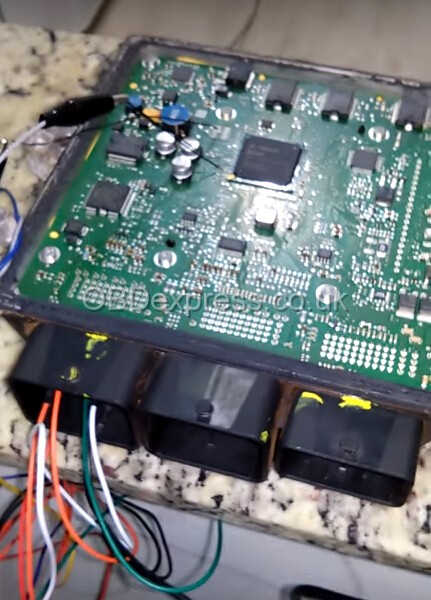
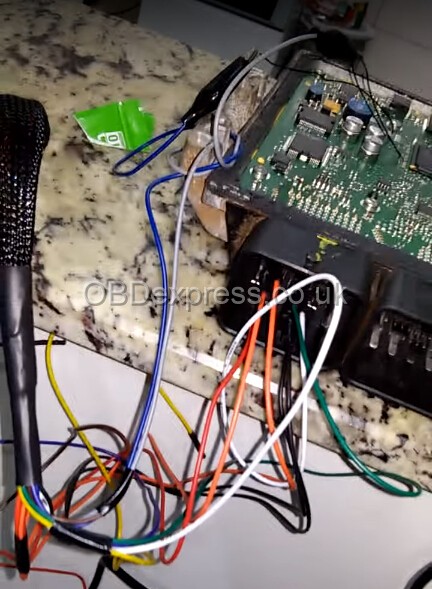
Ford Transit 2.2 cdi 2012g. block SID 208. It is necessary to remove the soot. The manual says that first you need to connect the K-Tag to the OBD connector with a cable 144300T108. Click on the ID and follow the instructions for unlocking, and then on the table you can merge and fill the firmware.

Cable 144300T108 pinout: 
KTAG_DB15 —> OBDII
11 ————> 04; 05 (Ground)
07 ————> 06 (CAN_H)
14 ————> 07 (K-Line)
15 ——- —–> 14 (CAN_L)
05 ————> 16 (Battery Power)
Note that It is unlocked on the table, if you do not plan to write in the outlet in the future, you can not unblock it.
ktag-cable-144300T108

Procedure: Ktag firmware 6.070 reading 2008 Ford Transit 2.2 SID 208
ktag-7.020-ford-transit-sid-208-1

ktag-7.020-ford-transit-sid-208-2

ktag-7.020-ford-transit-sid-208-3

ktag-7.020-ford-transit-sid-208-4

ktag-7.020-ford-transit-sid-208-5

ktag-7.020-ford-transit-sid-208-6

ktag-7.020-ford-transit-sid-208-7

ktag-7.020-ford-transit-sid-208-8

ktag-7.020-ford-transit-sid-208-10

ktag-7.020-ford-transit-sid-208-11

ktag-7.020-ford-transit-sid-208-12

Done!
Src:

Monday, May 7, 2018

Kess V2 Ksuite 2.47 vs Ksuite 2.23

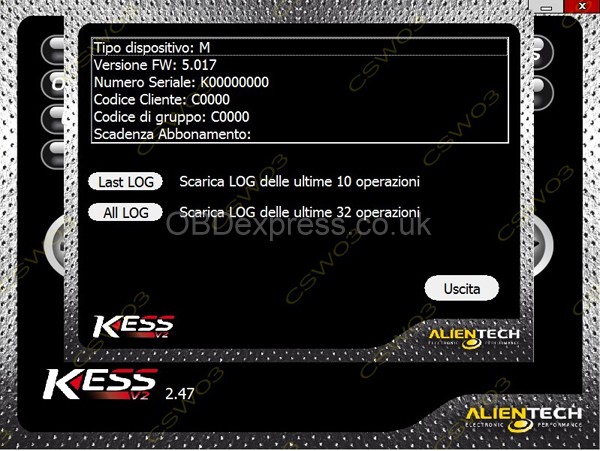
This just some pictures talking about what’s new in Ksuite 2.47 for Kess V2 5.017

7400 new vehicles!!!

THE MOST IMPORTANT NOTE:
Ksuite 2.47 is being tested for more ECUs. - Unknown workability on new engines
Ksuite 2.23 should be your best option so far (07-05-2018)

NEW KSUITE 2.47 Released Notes:

ADDED AND WORKINGS PROTOCOLS

CATERPILLAR A5E2 P 549
VOLVO 1.6 /2.0 CONTINENTAL SID807 P 489
FORD TRUCK FPT ENGINE BOSCH EDC7UC31 KLINE P 548
HUSQVARNA KEIHIN CAN P 554
ALL SIMOS 18 18.1 18.2 NEW GENERATION 4.5MB

AND MANY NEW VERSIONS 2017 ON SAME PROTOCOLS

MUCH CHECKSUMS BUG FIXED


Kess V2 Ksuite 2.47 (1

Kess V2 Ksuite 2.47 (2

Kess V2 Ksuite 2.47 (3

Kess V2 Ksuite 2.47 (4

Kess V2 Ksuite 2.47 (5

Kess V2 Ksuite 2.47 (6

Kess V2 Ksuite 2.47 (7

Kess V2 Ksuite 2.47 (9

Kess V2 Ksuite 2.47 (11

Kess V2 Ksuite 2.47 (12

Kess V2 Ksuite 2.47 (14

Kess V2 Ksuite 2.47 (15

Kess V2 Ksuite 2.47 (16

Kess V2 Ksuite 2.47 (17

Kess V2 Ksuite 2.47 (18

Kess V2 Ksuite 2.47 (19

Kess V2 Ksuite 2.47 (20

Kess V2 Ksuite 2.47 (21


Src:

Tuesday, April 10, 2018

KTag SSM Cable Pinout for PCR2.1 Read/Write

Have anybody test SSM cable cable with the ktag clone for PCR2.1?
Yep. Work good with KTAG original and HQ clone. SSM tested more times, works perfectly. Read and write in BSL on table without unlock after read password with SSM cable.

PCR2.1 full flash VERY IMPORTANT!!!

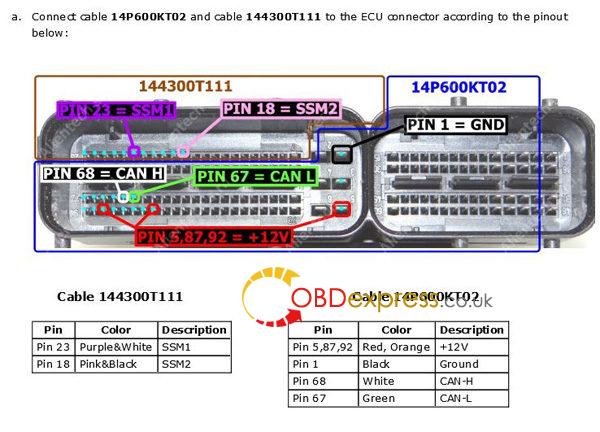
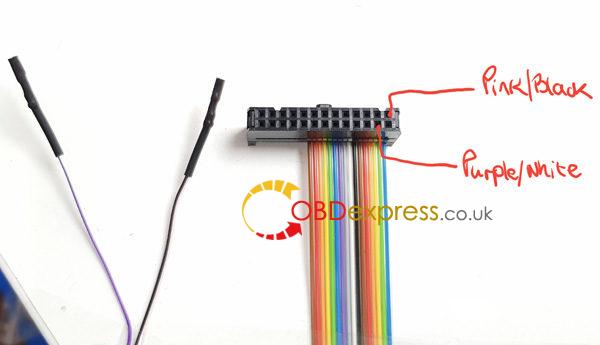
Pinout cable SSM 144300T111 (INFINEON TRICORE ECU PCR2.1 CABLE)
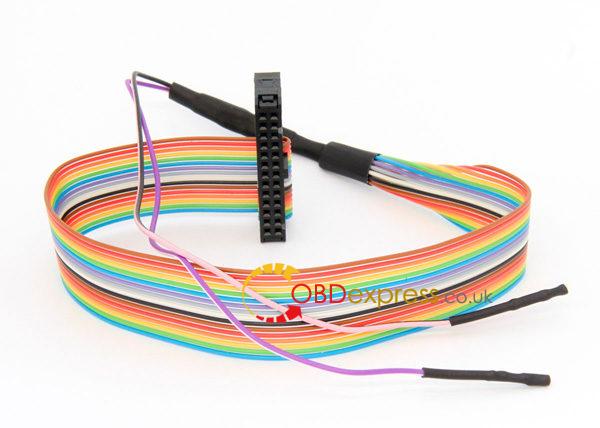
ktag-pinout-cable-SSM 144300T111-1 ktag-pinout-cable-SSM 144300T111-2 ktag-pinout-cable-SSM 144300T111-3
Already DONE
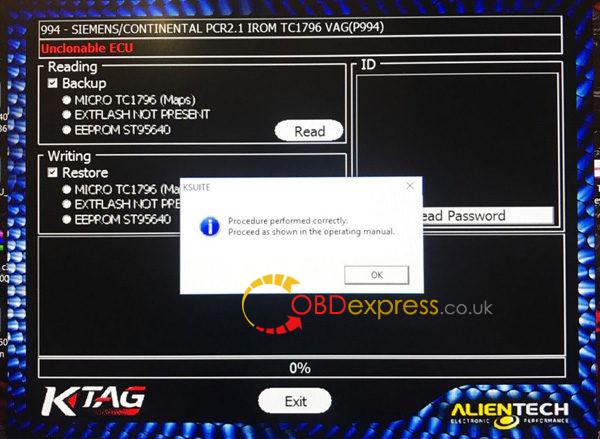
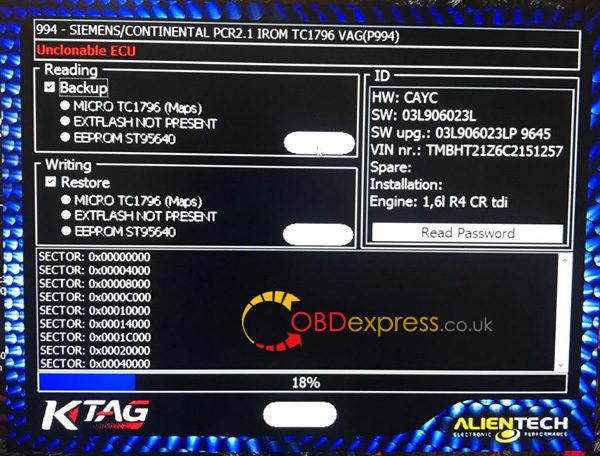
ktag-pcr2.1-1 ktag-pcr2.1-2
Note that you need ktag HQ clone or original, open ecu and prepare Eeprom for cloning ECU.

If you fail, have a try with Fgtech 4 (clone should be okay)
Date Software revisions....01/18 OBD driver CAN for Siemens Simos PCR2.1 VAG Virtual Read/Write, Recovery, Checksum, Unlock by OBD

On a side note, ksuite tools (kess or ktag) seem to
be more stable than fgtech on pcr but work too

On ksuite tools , you can’t read or write with ktag , only unlock . (alientech need to work on it…)
with kess it’s ok , BUT , you can’t use the tricore module !
The trick to get communication error free on both fgtech and kess cable is to use a strong external psu .
good psu and obd home made bench cable , remove tricore module on kess v2 = 100% tested bench flashing solution for pcr2.1 .

Good luck!


http://blog.obdexpress.co.uk/2018/04/09/pinout-ktag-ssm-cable-for-pcr2-1/

Wednesday, April 4, 2018

How to reflash Kess V2 firmware 5.017

Anyone know how to Update Kess v2 4.036 to 5.017? i found some tips here http://blog.obdexpress.co.uk/2018/01/26/how-to-update-kess-v2-4-036-to-5-017/
only way would be to replace nxp or unlock nxp (if possible) and reflash with 5.017 firmware if you have it
and new sdcard with 5.017 image on it 

And here is what i did..

I rebuilt and generated a SD card image for the RED Kess V2 5.017.
This image can fit in small SD cards.
This image is generated specially for the RED Kess CID number.
So you must write it in the original SD card with good CID number.
(Some Green Kess have same CID)
It’s preferable to replace the contents of the entire SD card with 0s before writing the image.
(ImageUSB includes functionality to Zero a USB Flash Drive).

WARNING: it’s just a test, but work for some.
Make a backup of your SD card before, even if it is corrupted. Sometimes it can help.
I can generate for other CID.
Try and report.
Free download Kess 5.017 SD card image:
Decryption Key:
!6FU2l9D9p2nQWj6mOll6I_NAQX2l2fVojD4ZKEzRypk
Credits to kitnoos2002

Again, I tested myself only, not sure if it works for you all
You guys try on your own risk.

I did find some failed. If so, you can have a try this
It’s working. Some brothers in forums with failure choose this kess finally.
I think it can be used with relief.

Monday, March 26, 2018

How to setup Ktag software screen resolution

Ktag Ksuite screen resolution setup manual:

  1. Click on the Options button in the main window of the K-Suite software. 2. In the Size of the vehicle selection windows pane, select the window size that best suits your computer screen.

ktag-change-screen-resolution(1)

When possible, we recommend using 1024×768 resolution, to see better the pictures of connection instruction in the Operating Manuals

It is possible to change the window size of the K-Suite software at any time, even if the programming tool is not connected to your computer and / or the computer does have an active Internet connection.
.


Monday, March 5, 2018

How to add manual to Kess V2/Ktag programmer

Hello, how i can add manual to kess and ktag, into cd i have ksuite help zip but i don’t know the way for add to program, thanks!

Reply:

Hello, I had the same problem as you, unable to open the Help, even though I have placed the zip that came in the folder in the folder c:/ksuite/help.
The solution to my case was to download the Help folder from another location, which I now do not remember exactly, and open the files manually, because within Ksuite, when clicking to see the schematic, it did not recognize the added folder there where it should be.
What I do is use this help that I attached in this post to see the connection schemas. I open Ksuite, I see which family belongs to the desired protocol and then search there in the Help folder.
The Ksuite version I use is 2.08, so if you use a different version (site: http://blog.obdexpress.co.uk/2017/08/03/free-download-ktagkess-v2-help-files-sd-card-files/ ksuite v2.24 v2.13 help file), you can only succeed by trying to unzip the help and then the folder called help goes into the ksuite folder c:/ksuite/help, otherwise you can download Help Ksuite 2.08.rar  the one I’m using and try this method.
Success
Src:

Tuesday, February 6, 2018

China Clone Kess V2 5.017 Red PCB Rework

Bought a Kess V2 5.017 china clone, but no luck.
I can try to read but writing is sometimes danger.
power supply for akku. When I write flash, the ecu need a lot of power.

Searched a lot… thought i should rework the inner board.

Then i did something…

Transistors:
BCR112
MMUN2113
BC817

Murata filters:
NFE61PT472C1H9L (connect ground for all of them)

Capacitors:
1uF – 35V
220uF – 10V
10uF – 16V tantalum

Here is good quality pic from ori pcb
kess-5.017-pcb-rework

Finally. It works like a charm.

My advice is: DON’T BUY KESS 5.027 RED PCB FROM OBD2TOOL.COM – FAKE 5.017. My friend bought 10 units from obdexpress.co.uk – all work good, read/write no issues. This is the site he is using: http://www.obdexpress.co.uk/wholesale/kess-v5.017-ecu-online-version.html

Update: my friend did some Kess 5.017 tests:

Berlingo 9HX: only read ID from engineand works ok
PSA Bosch EDC 16: read ok
Skoda Octavia 1.9 AXR EDC15: read ok
BMW EDC17CP02: OBD write ok
BMW EDC15: OBD read/write ok
Ford Mondeo SID206: read/write ok
K-line and CAN both OK
VW EDC17CP14: read/writewith tricore module
2008 Sprinters with Edc16: no issues

Hope this helps.